Friday, November 22, 2019

Microsoft Endpoint Manager FAQs


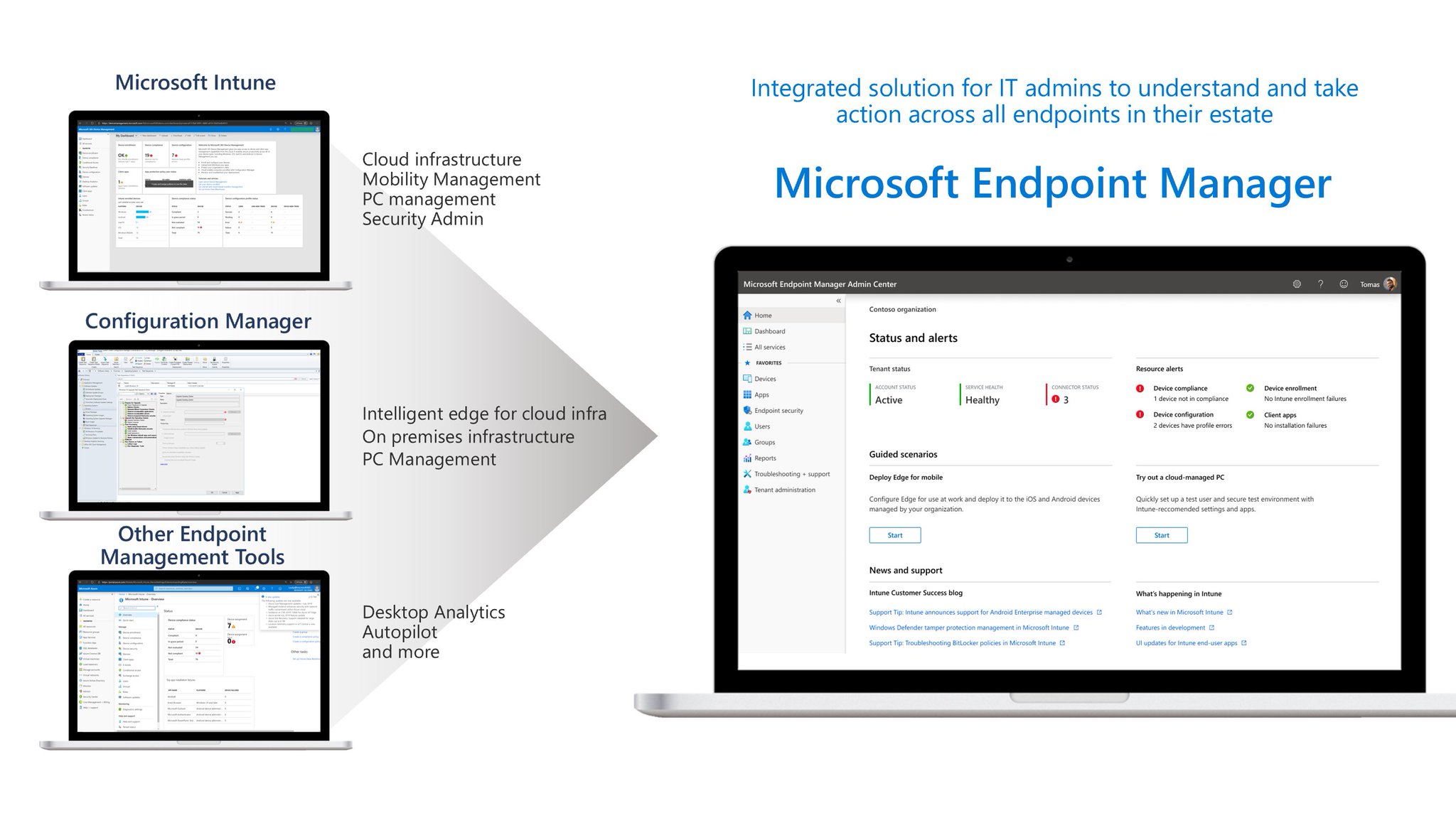
Announced at Ignite, Microsoft Endpoint Manager (MEM) is the new solution for Endpoint Management that brings together SCCM + Intune + Autopilot + etc
Because there is a lot of questions about what’s the future for SCCM and Intune, Microsoft launched a FAQ website that answers to almost everything.
But really, the most important things that I think should be noticed are:
  • SCCM and Intune will continue to exist and get Microsoft’s investment
  • You should connect your SCCM with Intune right now with co-management
  • Microsoft Endpoint Manager will be the best of both worlds:
    • The benefits of using your on-premises information in the cloud
    • The seamless usage of the cloud information to manage your on-premises devices
    • One console to rule them all
Take a look at the Microsoft Endpoint Manager FAQs:
Microsoft Endpoint Manager FAQs

Microsoft Endpoint Manager – The Future of SCCM + Intune


Last few days at Ignite, Microsoft announced Microsoft Endpoint Manager.
This “new solution” will somewhat replace both SCCM and Intune but is more than just a new branding.
It includes Device Management, Desktop Analytics and also the co-management feature.
A lot of new features with “intelligent actions” like “Startup Perfomance Analysis” will be added to the product.
To know more about Microsoft Endpoint Manager (MEM):

Monday, November 18, 2019

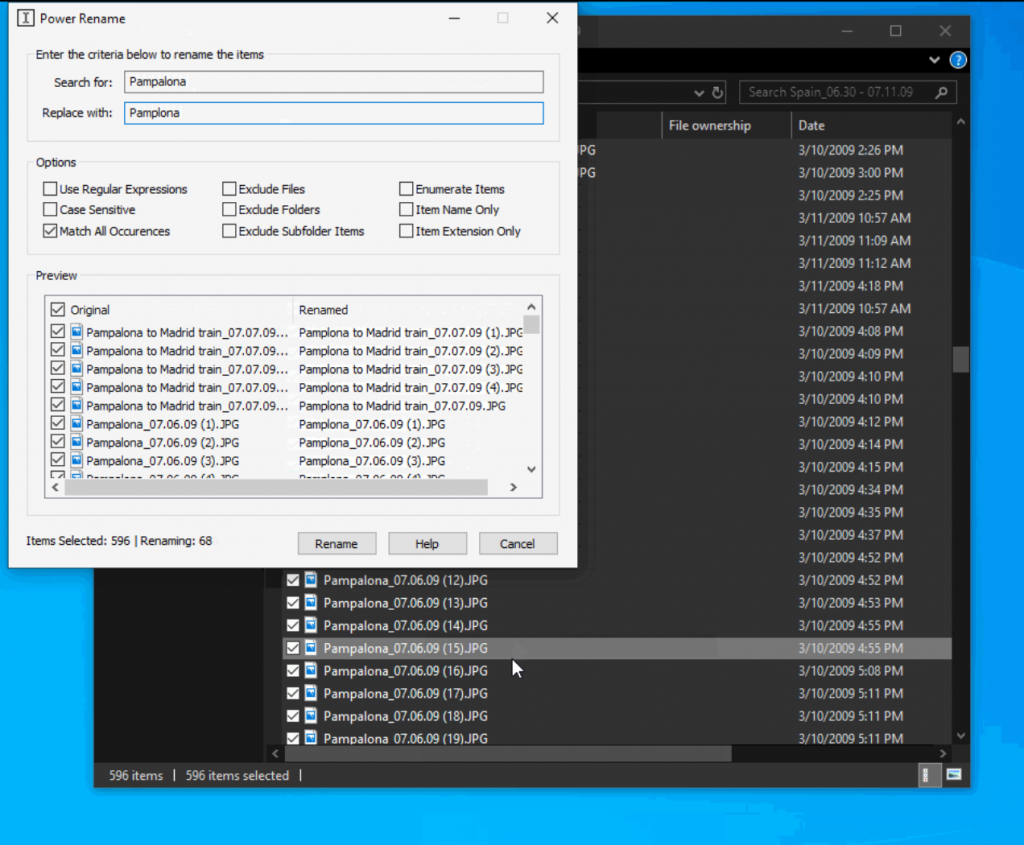
Microsoft PowerToys – PowerRename

Microsoft PowerToys was a very famous set of tools in Windows 95 era designed for power users that wanted to do some things quickly with the need to edit registry for example.

Although less famous nowadays, there’s still plenty of good things for Windows 10.
One of this nice tools is PowerRename.

Every wonder how to batch rename a lot of files quickly? PowerToys PowerRename is your answer!

Take a look here for release notes about PowerRename:
Microsoft PowerToys – PowerRename

And here’s a direct link for installers for each release (at this time 0.13 version is available):
Microsoft PowerToys Releases (GitHub)

Sunday, November 17, 2019

Microsoft “Edgeium” GA expected January 15, 2020

With a new fantastic logo launching on the last beta release of Microsoft Edge “Chromium”, there’s also the announcement of the expected general availability launch date.

It seems that January 15, 2020 its the objective. The next weeks are reserved for feedback and a little few more beta releases and than a final stable release of the new Microsoft Edge browser.

Thursday, October 3, 2019

Microsoft Surface 2019 Lineup – Just mind-blowing!

So this post is just because Microsoft event yesterday was just…mind blowing. For the first time I must say that Microsoft completely delivered in every aspect of the event.

The perfect lineup adding exactly what fans asked for on the existing devices and than…it comes Surface Neo and of course…Surface Duo! A lot of things were said before the event but when you see the product, just couldn’t believe how perfect and consistent this product is.

And, after all of that we also have a glimpse of the new Windows OS (Windows 10X) aka Windows Core OS. This event was simply mind blowing!

So, here’s the complete lineup that was presented yesterday:

Surface Pro X

Surface Pro 7

Surface Laptop 3

Surface Neo and Surface Duo

You can view or review the full event here:

Thursday, September 26, 2019

Microsoft’s October 2 Event – Save the Date!

Getting more and more hype, Microsoft’s October event can be the first time we see the new ‘Centaurus’ hardware and know a little bit more about the upcoming operating system.

Don’t miss the live stream and save the date on Microsoft’s dedicated event website:
Microsoft October Event - Tune in to see what's next!

Monday, September 16, 2019

Visual Studio – When Administrator privileges are needed?

A lot of times users will ask to have administrator privileges on their machine because they “use Visual Studio”. This is a very broad concept and not every Visual Studio user needs administrator privileges.

Microsoft created a table which explains the right user permissions needed for each task:
Microsoft Docs - User permissions and Visual Studio