Showing posts with label 1607. Show all posts

Monday, August 8, 2016

Windows 10 v1607 Now Available on VLSC


Microsoft just released a few hours ago the media files (ISOs)  for Windows 10 Enterprise v1607 a.k.a. "Windows 10 Enterprise with Anniversary Update." through it's Volume Licensing Service Center (VLSC) website.

So, follow the link below, sign in and get you Windows 10 Enterprise version 1607:
Microsoft Volume Licensing Service Center

Windows 10 ADK v1607 - WSIM Changes


With the introduction of the fresh Microsoft Windows 10 ADK v1607, there are also change to Windows System Image Manager (WSIM) and Unattend.xml files.

To a complete list of changes, here's the MSDN article:

Windows 10 ADK v1607 Available


Following the this early August release of Windows 10 v1607, Microsoft also made available a new version of Windows 10 ADK (Windows Assessement and Deployment Kit) v1607.

Grab the new version from the download link:
Microsoft Windows 10 ADK v1607


Remember that, like other versions of Windows 10 ADK, therer's no in-place upgrade, so you'll have to uninstall the previous versions you've install first.

Friday, August 5, 2016

Windows 10 Anniversary Update (v1607) - Forcing Update


So after 3 or 4 days your Windows 10 v1511 still not upgrading to v1607 (anniversary update).
Here's a quick and easy way to force update right now!
  • Go to Windows 10 update history website
  • Just click "Get the Anniversary Update now" button and download the upgrade tool
  • The tool we'll check your system before upgrade and...you're done! ;)

Windows 10 Anniversary Update - How to have It?


Now that Microsoft got out Windows 10 Anniversary Update, or Windows 10 v1607, here's to ways to download it.

First and more straightforward:
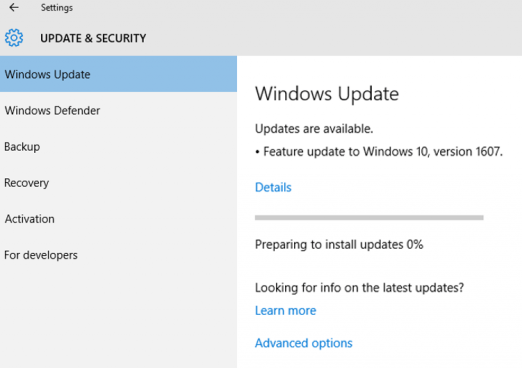
  • Go to Settings (Windows Key + I) > Updates & Security > Windows Update
  • In Windows Update click "Check for Updates" and the windows Anniversary Update should appear as "Feature update to Windows 10, version 1607".

Other way for later or offline install:
  • Go to Settings (Windows Key + I) > Updates & Security > Windows Update
  • Now click "Learn More" and you'll be taken to a Microsoft.com support page where you can download Windows 10 v1607 ISO file.