Showing posts with label download. Show all posts

Monday, June 24, 2019

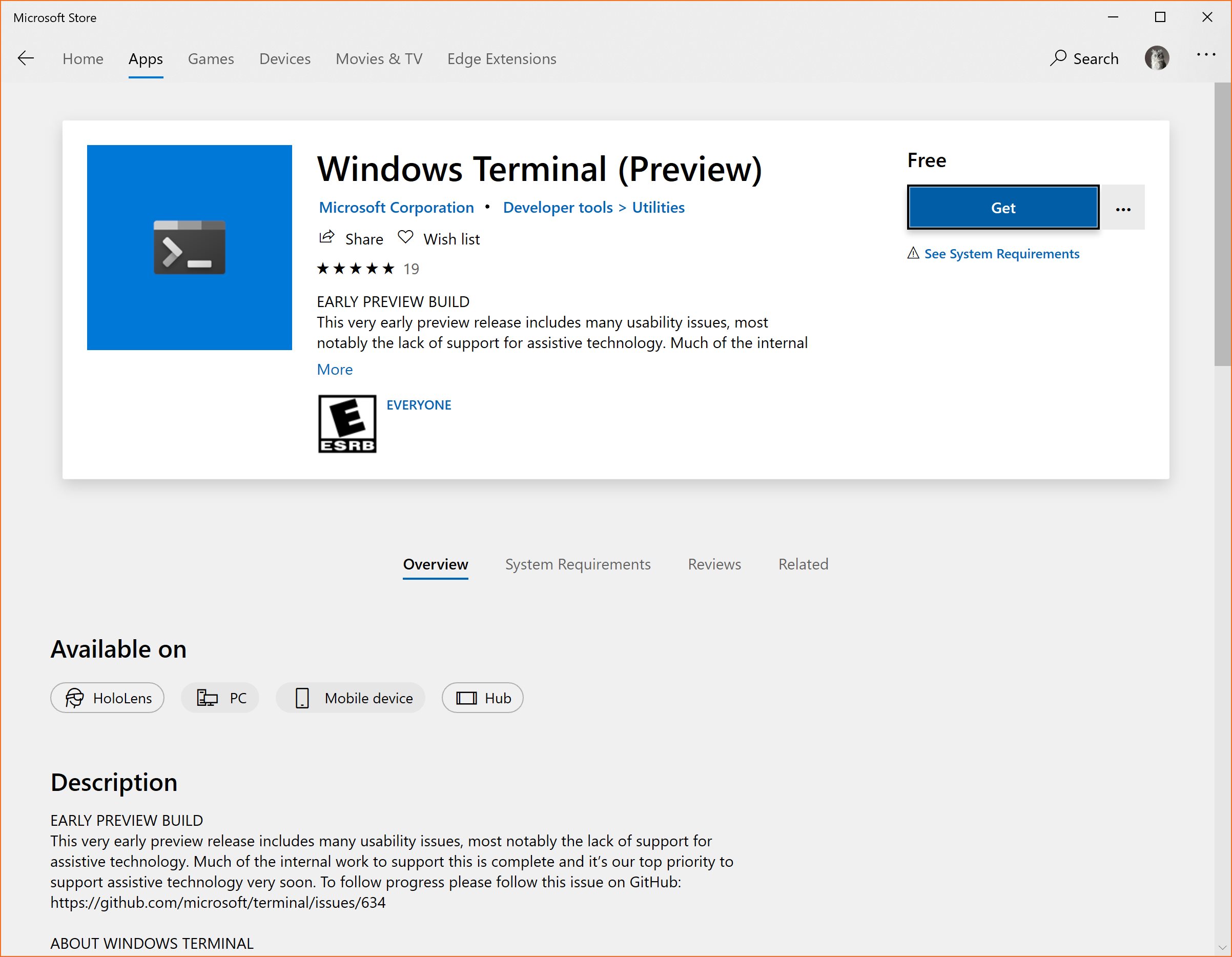
Windows Terminal (Preview) now available on Microsoft Store

It’s not usual that a feature like this generates so much hype, but the truth is that since it was announced at Microsoft Build 2019, the new Windows Terminal was a feature that a lot of people wants to try out.

This new Windows Terminal allows users to use command-line tools and shells like command-prompt, PowerShell and WSL.
It also allows multiple tabs, custom themes, and a lot more.

Just notice that this is a preview version and will probably have some issues and bugs for now.

Microsoft Store - Windows Terminal (Preview)

Microsoft Edge based on Chromium (Edgium) GPOs early preview

Later last week Microsoft’s Sean Lyndersay made a post at Microsoft Tech Community where it was announced the first look of new Microsoft Edge based on Chromium group policies.

Without a lot of information for now, we were told that there will be correspondent one’s for Intune also.

He also stressed that this is obviously a work in progress and there’s still much work to do.

Take a look and download the preview GPOs here:

Microsoft Tech Community - Early preview of Microsoft Edge group policies

Thursday, May 2, 2019

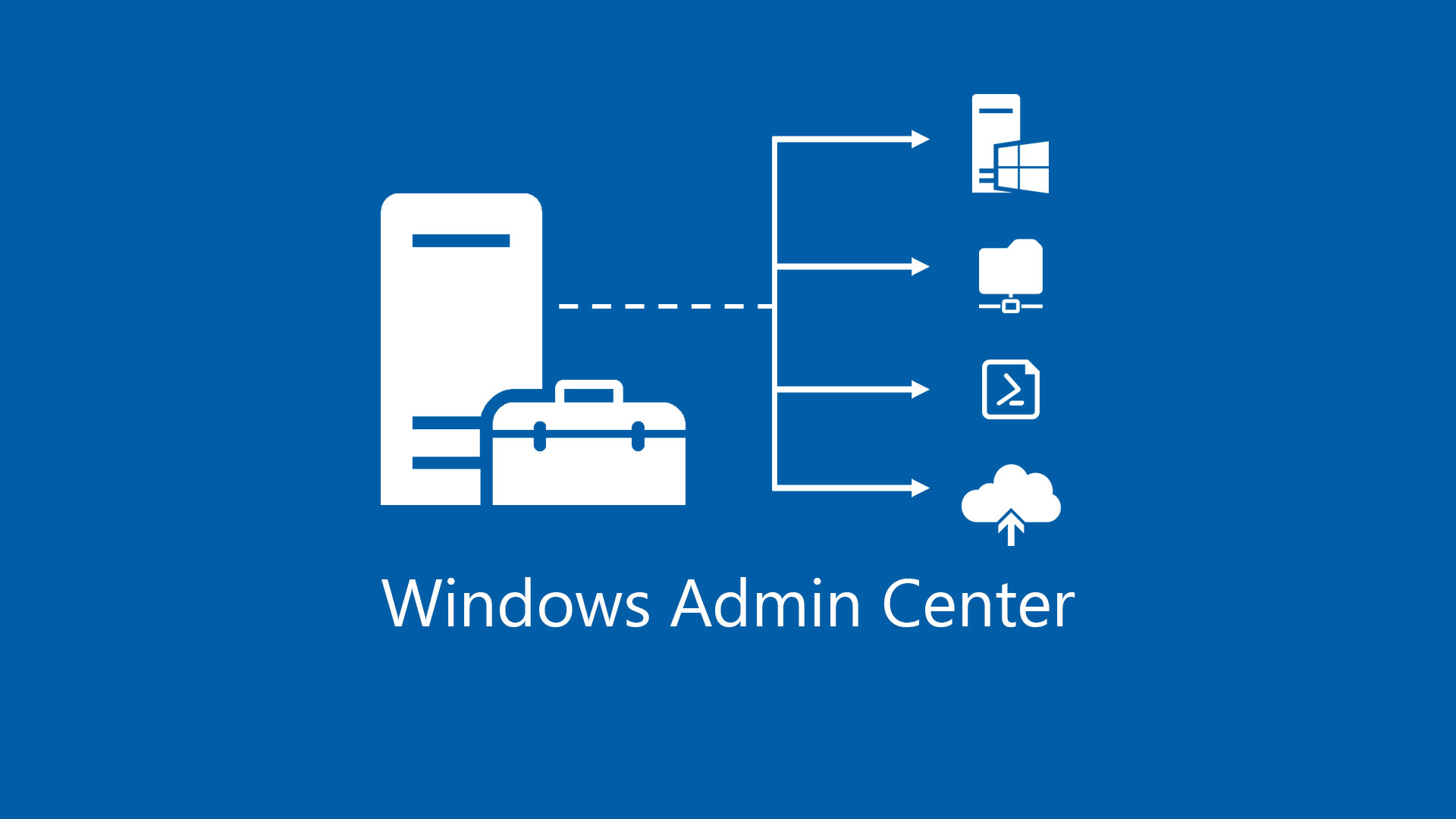
Windows Admin Center (WAC) v1904 Now Available

The modern administration tool for Windows servers, desktops and cloud has a new version, following the Windows Server Semi-Annual Channel rhythm.

This new version has nice additions like new tools to manage Active Directory and DNS for example, which may allow in the near future to stop using mmc console.

Also nice is the ability to share device lists that also allows a user to backup previously added devices so you don’t need to add them all again.

Here are all things new and download link to Windows Admin Center v1904:
Windows Admin Center Blog - Windows Admin Center 1904 GA update is now available!

Monday, April 15, 2019

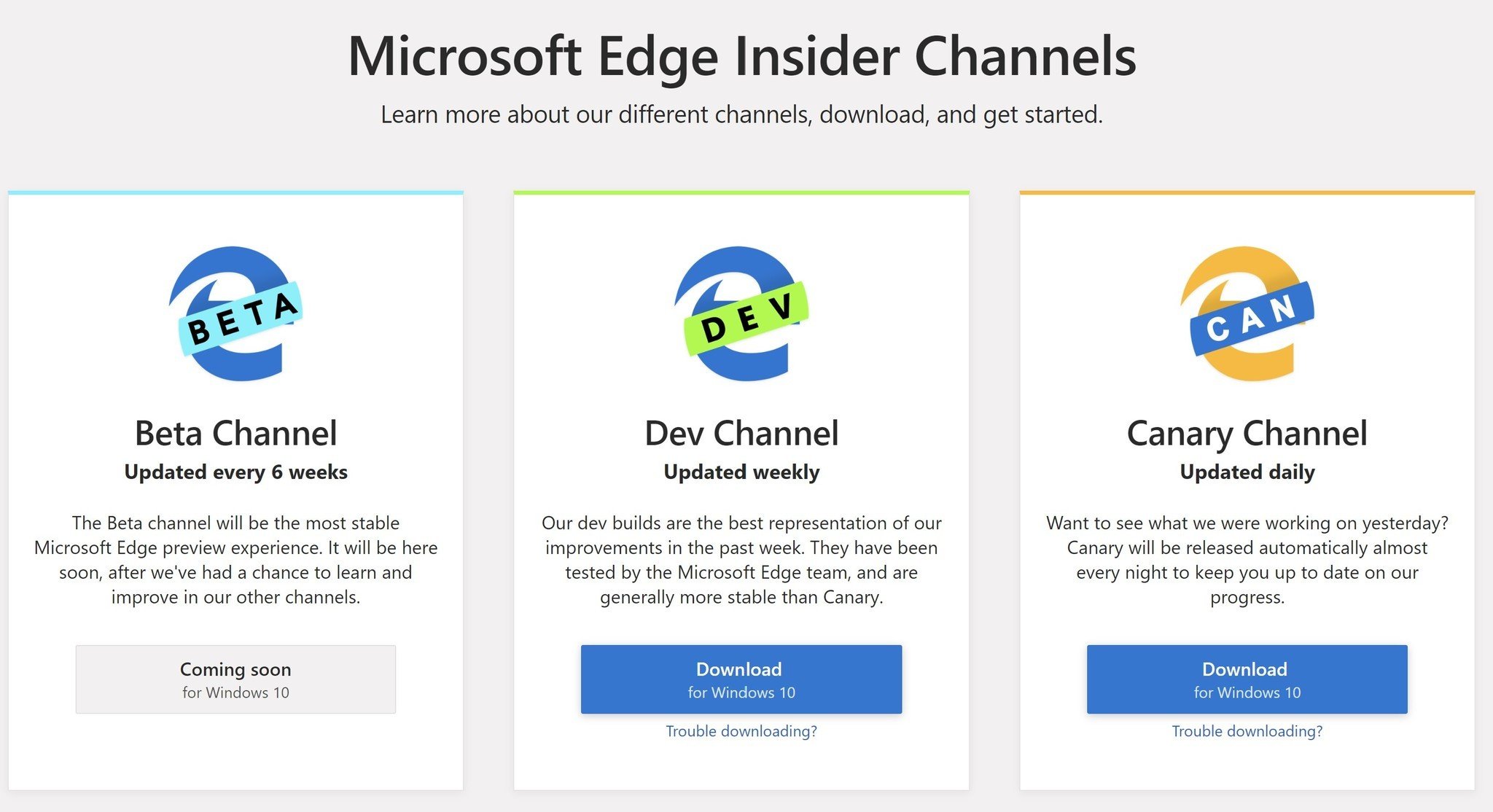
Microsoft Edge with Chromium preview available for download

Although there was over the Internet, some unofficial versions of Microsoft Edge with Chromium, it is now available through Microsoft’s preview programs.

In this phase it is available in 2 preview channels:

  • Dev Channel – here you’ll have access to upcoming features that later will be available to final users.
  • Canary Channel - this branch has pre-released code that was not totally tested.
  • Beta Channel – Not yet available and presumably will be in next fall.

So go ahead and try the next Microsoft’s browser, Microsoft Edge with Chromium:
Microsoft Edge Insider Channels

Tuesday, April 9, 2019

Microsoft Windows 10 Enterprise 1809 finally available on VLSC

Don’t know if this happened with a lot of you guys but, at least at my Microsoft Volume License Service Center, Windows 10 Enterprise 1809 a.k.a. October Update appeared and then disappeared in the downloads section.

Well, logged in today and there it was again for download in 3 flavors (x86; x64 and 64bit ARM version)

Sunday, December 2, 2018

How to Create a Visual Studio Community Offline Install

Following other Microsoft products, Visual Studio Community it’s all about downloading just what you need to use.
Although this is great for end users, not so good if you’re a sysadmin that need to create installation packages.

So, today for Microsoft Visual Studio Community, here’s what you’ll need to do:

  1. First of all download the setup wrapper here:
    https://visualstudio.microsoft.com/vs/express/

  2. And…now comes the tricky part. You can download only what you need to install, and it’s all based in “layouts”. The main command it’s this one:
    vs_Community.exe --lang en-us --layout f:\vs2017c –all


The above command will download ALL the “layouts”, but you may want do download only the necessary files to install for .NET development. So you should take a look at the link below to select just want you want to download/install:
https://docs.microsoft.com/en-us/visualstudio/install/workload-component-id-vs-community?view=vs-2017#net-desktop-development

Tuesday, September 25, 2018

Windows Admin Center (WAC) v1809 GA Available

Microsoft has made Windows Admin Center (WAC) v1809 generally available.

This “new” Microsoft tool is a it’s a locally-deployed, browser-based management tool that lets you manage Windows machines, desktops and servers.
Windows Admin Center will in a near to middle future substitute the current Windows Remote Server Administration Tool (RSAT)

Download it here:
Microsoft Windows Admin Center v1809

Sunday, July 8, 2018

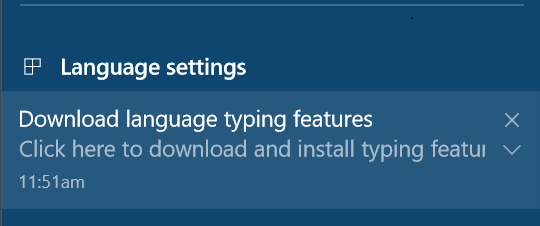
Avoiding the “Download language type features” Annoying Popup in Your Golden Image

You’ve created you’re perfect golden image, everything installed correctly, all the Microsoft hotfixes are installed, no missing drivers and…after a while you get a popup stating that you need to “download language typing features”…

Just to get things a little bit more frustrating, you’re machines are behind a proxy and cannot download this additional features.

This is a common scenario on enterprises, specially and foremost on enterprises outside U.S.

To strip out Windows from being a large ISO/WIM file, Microsoft decided to add some additional features with an “on-demand” installation. This means that some features that can be activated in the O.S. may need to download they’re source files from the Internet.
This happens if you want to activate .NET Framework 3.5 for example.

Now, to avoid this from happening follow the steps bellow.
Keep in mind that this is an example for enterprises with Microsoft VLS. If not an enterprise, the main difference is that you should find the direct download path on the CBS.log file also.

  1. First thing you need to know, is exactly which files Windows needs to download. For this one you need to take a look at this file:
    C:\Windows\Logs\CBS\CBS.log

  2. Now search for something like “Microsoft-Windows-LanguageFeatures-“. If you look closely to this log file you’ll notice that this file could not be downloaded or some kind of error.
    Usually there are 2 files you need. the “Basic Language” and “OCR” features

  3. Now that you know what you need, go ahead to the Microsoft Volume Licensing Service Center website and download the following ISO:

  4. When you mount the ISO, you’ll find the files you need as a *.cab file.

  5. Copy the files you need and now you just need to had them to your golden image.

  6. To install this cab files you just need to run this DISM commands, like in this example:
    DISM /Online /Add-Package /PackagePath:Microsoft-Windows-LanguageFeatures-Basic-pt-pt-Package.cab

And..you’re done!

Thursday, July 5, 2018

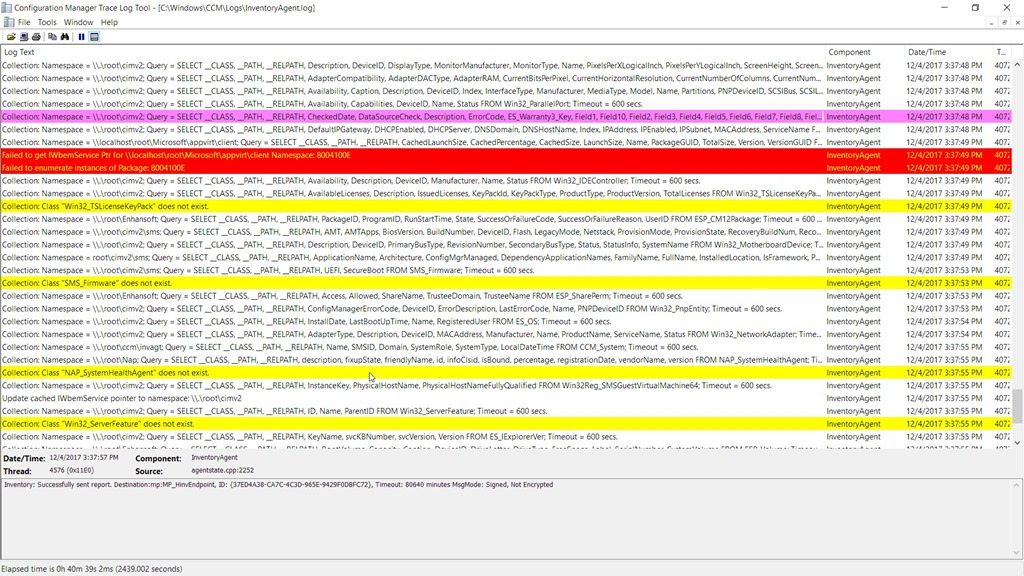
Tips & Tricks – Easy Logging Reading with CMTrace

Have you ever opened a *.log file with notepad and wished to have something else that could format everything for you, and that could also automatically show you error lines or warnings?
Than CMTrace it’s the perfect tool for you.

Bundled with SCCM 2012 R2 Toolkit (and also in previous version I believe), you’ll find CMTrace tool that does the job for you.

Download it here:
TechNet - SCCM 2012 R2 Toolkit

HP SoftPaq Unpack Switches

Here’s a quick tip for unpacking HP SoftPaq drivers:

* "SPxxxxx.exe is the SoftPaq filename to unpack

* "-pdf" is a runtime switch that overrides the build parameters

* "-f" is a runtime switch that overrides the default path set at build time

* "-s" instructs the package to unpack in silent mode, skipping the Welcome, License, and Directory screens

* "-e" instructs the package to extract only, that is, do not run the component installation program.


One example:

SP4242423.exe -pdf -f -e C:\Temp\drivers\

Sunday, May 13, 2018

Getting Older versions of Visual C++ Redistributable

Did you ever needed a specific version of Microsoft Visual C++ Redistributable to run an application?

I had this issue with VMware Horizon Client 4.7.0 that needed some Visual C++ specific versions to be installed. If not, the installer would install them for me but…rebooted the machine without any kind of warning.

So, thanks to a Jags Blog, we can get the direct links to download a bunch of versions of Visual C++ Redistributable!

Here’s the link:
Microsoft Technet Blogs - Jags Blog - Where can I download Visual C++ Redistributables?

Sysinternals Suite 2018_02_13 Available

Sysinternals it’s one of the best known suite of tools developed since 1996 by Mark Russinovich.
This set of tools will help you manage, troubleshoot and diagnose Windows systems and applications.

This new version, available since February 13, 2018 brings updates to:

  • Autoruns (v13.82)
    This Autoruns release shows OneNote add-ins and fixes several bugs
  • Process Monitor (v3.50)
    Now includes a /runtime switch to control headless capture duration, correctly shows picoprocesses, displays details for file system APIs introduced in Windows 10, and includes numerous minor improvements and bug fixes.

Download the complete suite here:

Sysinternals Suite 2018_02_13
Sysinternals Suite 2018_02_13 for Nano Server

Tuesday, May 8, 2018

Windows 10 v1803 Enterprise ISO Available Now Through Microsoft Volume Licensing Service Center

Capture

There’s always a gap between Windows 10 Feature Updates launching and the availability of the ISO on VLS but Microsoft made available today through Microsoft Volume Licensing Service Center Windows 10 v1803 Enterprise ISO.

So, go ahead and get it! :)

Sunday, May 6, 2018

GPOs – Administrative Templates for Windows 10 v1803 (April 2018 Update) Available

Untitled

And here are the new admx files for Windows 10 v1803 (April 2018 Update).
Administrative Templates (.admx) for Windows 10 April 2018 Update (1803)

Furthermore, you can find all you can configure with this admx and previous one’s using this guide:
Group Policy Settings Reference for Windows and Windows Server

Remote Server Administration Tools (RSAT) for Windows 10 Version 1803 Available

Untitled

With the release of Windows 10 v1803, Microsoft also made available a new version of Remote Server Administration Tools for Windows 10.

Before install it’s important to read “System Requirements” and “Additional Notes”.
Just to highlight some:

  • You should uninstall previous installed RSAT version you have.
  • If you find yourself with the DNS tools missing, you should install WS_1803 or WS2016 RSAT package.

So, go ahead and download the new RSAT for Windows 10 v1803 here:
Microsoft Remote Server Administration Tools for Windows 10

Wednesday, November 15, 2017

Windows 10 – KB4048955 - Cumulative Update – November 14, 2017

WU_Logo_001

It’s now available the Microsoft Windows 10 Cumulative Update November 14, 2017.
The quality update KB4048955 sets Windows 10 build to version 16299.64.

Improvements and Fixes

  • Addressed issue that causes the Mixed Reality Portal to stop responding on launch.
  • Addressed issue that causes a black screen to appear when you switch between windowed and full-screen modes when playing some Microsoft DirectX games.
  • Addressed a compatibility issue that occurs when you play back a Game DVR PC recording using Android or iOS devices.
  • Addressed issue where the functional keys stop working on Microsoft Designer Keyboards.
  • Addressed issue to ensure that certain USB devices and head-mounted displays (HMD) are enumerated properly after the system wakes up from Connected Standby.
  • Addressed issue where the virtual smart card doesn't assess the Trusted Platform Module (TPM) vulnerability correctly.
  • Addressed issue where Get-StorageJob returns nothing when there are storage jobs running on the machine.
  • Addressed issue where applications based on the Microsoft JET Database Engine (Microsoft Access 2007 and older or non-Microsoft applications) fail when creating or opening Microsoft Excel .xls files. The error message is: “Unexpected error from external database driver (1). (Microsoft JET Database Engine)".
  • Addressed issue where application tiles are missing from the Start menu. Additionally, applications that the Store app show as installed don't appear on the application list of the Start menu. Computers that have Internet connectivity and upgrade on or after November 14, 2017 will receive this preventative solution and avoid this issue. Machines that lack network connectivity or have already encountered this issue should follow the steps in the Microsoft Answers thread “Missing apps after installing Windows 10 Fall Creators Update”. Microsoft will release and document an additional solution in a future release.
  • Addressed issue where Microsoft Edge cannot create a WARP support process and appears to stop responding for up to 3 seconds during a wait timeout. During the timeout period, users cannot navigate or interact with the requested page.
  • Security updates to Microsoft Scripting Engine, Microsoft Edge, Microsoft Graphics Component, Windows kernel, Internet Explorer, and Windows Media Player.

Download
You can download this cumulative update from Microsoft Update Catalog

Thursday, October 19, 2017

GPOs – Administrative Templates for Windows 10 v1709 (Fall Creators Update) Release

Well…this week of course is completely full of Windows 10 v1709 (Fall Creators Update) downloads!

So here are the new group policy administrative templates (.admx) for the new Windows 10 release:
Microsoft - Administrative Templates (.admx) for Windows 10 Fall Creators Update (1709)

Remote Server Administration Tools for Windows 10 v1709 (Fall Creators Update) Released

And again…following the wave of releases for Windows 10 v1709 (Fall Creators Update), Microsoft launched a new Remote Server Administration Tools (RSAT).

Just be aware of this additional information in the download website about some issues you may encounter with this version:
image

Go ahead and download the new RSAT here:
Microsoft - Remote Server Administration Tools for Windows 10

GPOs Settings Reference Spreadsheet Updates for Windows 10 v1709 (Fall Creators Update)

Following Windows 10 v1709 (Fall Creators Update) release, Microsoft updated their reference documents of Group Policy Settings.

These spreadsheets list the policy settings for computer and user configurations that are included in the Administrative template files delivered with the Windows operating systems specified. You can configure these policy settings when you edit Group Policy Objects.

Go ahead and download it here:
Microsoft Group Policy Settings Reference for Windows and Windows Server