Showing posts with label technet. Show all posts

Thursday, July 5, 2018

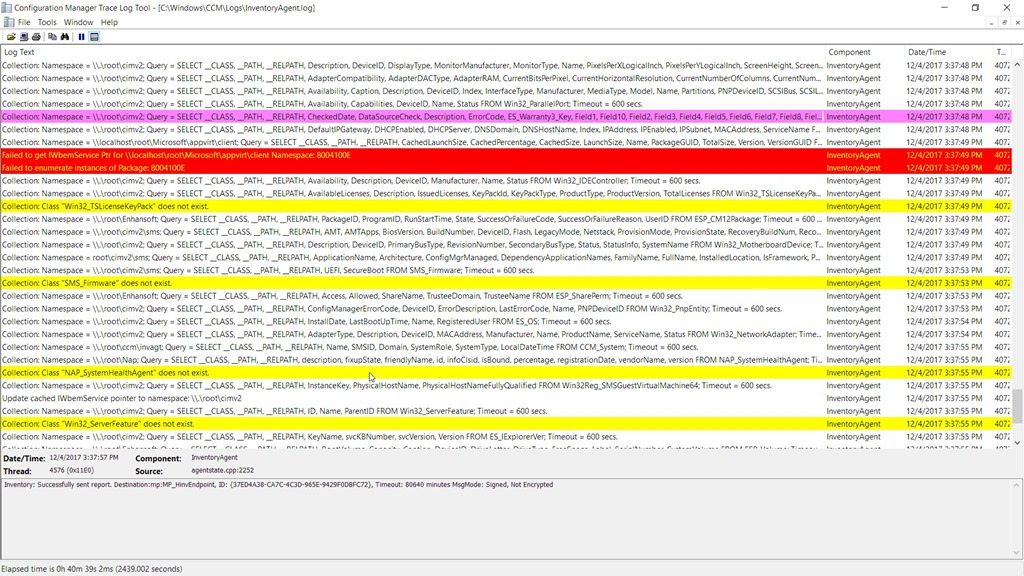
Tips & Tricks – Easy Logging Reading with CMTrace

Have you ever opened a *.log file with notepad and wished to have something else that could format everything for you, and that could also automatically show you error lines or warnings?
Than CMTrace it’s the perfect tool for you.

Bundled with SCCM 2012 R2 Toolkit (and also in previous version I believe), you’ll find CMTrace tool that does the job for you.

Download it here:
TechNet - SCCM 2012 R2 Toolkit

Sunday, May 13, 2018

Getting Older versions of Visual C++ Redistributable

Did you ever needed a specific version of Microsoft Visual C++ Redistributable to run an application?

I had this issue with VMware Horizon Client 4.7.0 that needed some Visual C++ specific versions to be installed. If not, the installer would install them for me but…rebooted the machine without any kind of warning.

So, thanks to a Jags Blog, we can get the direct links to download a bunch of versions of Visual C++ Redistributable!

Here’s the link:
Microsoft Technet Blogs - Jags Blog - Where can I download Visual C++ Redistributables?

Sunday, August 20, 2017

Tips&Tricks – Protect Domain Joined Machines w/ Random Local Administrator Passwords and LAPS

It’s fairly usual on any kind middle/large sized enterprise, that the IT Department creates a local administrator to manage their domain joined machines. This could happen for example to make sure that even if there’s an issue with a machine that gets out of domain, the IT guy can still try to recover the machine, or for example if there’s any kind of suspicious activity from a virus for example, this can be useful to login on a machine disconnected from the network.

There’s a clear issue with this. Without the proper tools, the local administrator password will probably be the same on all machines, which it’s an obvious security issue.

With this in mind, Microsoft created a tool called “Local Administrator Password Solution” or…LAPS.

This effective and very useful tool provides a centralized storage of passwords in Active Directory (AD).
You don’t need any additional machines and domain admins can determine which users can read the passwords.

So, the main advantages of using LAPS are:

  • Periodically randomizing local administrator passwords
  • Centrally store passwords in AD
  • Control access to this passwords with AD ACL permissions
  • Transmit encrypted passwords from clients to AD (using Kerberos encryption, AES cypher)

Here’s also a diagram of the solution:

After LAPS is configured in your environment you just need a LAPS tool to get the passwords for a machine or use powershell cmd-lets to get them.

You can learn more about Microsoft LAPS on Technet:
Microsoft TechNet - Local Administrator Password Solution

Wednesday, July 5, 2017

Win10 Deploy– Microsoft TechNet - Windows 10 Deployment and Management Lab Kit

Here’s a nice option if you want to quickly start testing Microsoft Windows 10 deployment without all the troubles and hurdles of creating your environment.
Microsoft TechNet gives you a 32GB virtual lab with all that you need.

This is specially nice to test before creating your final production environment.

In this virtual lab you’ll get:

  • Windows 10 Enterprise v1703 (aka Creators Update)
  • System Center 2012 Configuration Manager 1702 (aka SCCM)
  • Windows Assessment and Deployment Kit for Windows 10 v1703 (aka Windows ADK)
  • Microsoft Deployment Toolkit v8443 (aka MDT)
  • Microsoft Application Virtualization 5.1 (aka App-V)
  • Microsoft BitLocker Administration and Monitoring 2.5 Service Pack 1 (aka MBAM)
  • Windows Server 2016
  • Microsoft SQL

More information about this lab kit can be found here:
Windows 10 deployment and management lab kit

To download the lab kit directly:
Windows 10 Deployment and Management Lab Kit

Thursday, June 8, 2017

GPOs – Policy Analyzer

Here’s a nice to have tool directly from Microsoft Security Guidance blog.

Policy Analyzer allows you to analyze and compare sets for Group Policy Objects.
Just to exemplify, with this tools it’s possible to highlight redundant/duplicated settings which means that if you have more than 1 GPO applied you can find if your setting the same…setting on both GPOs.

You can also export to an Excel spreadsheet to work the data better.
Policy Analyzer is a lightweight standalone tool that does not require installation.

You can download the tool here:
Policy Analyzer v3.1 Pre-Release

Sunday, April 14, 2013

Windows 8 - What IT Pros Should Know


Just to share a nice roundtable from Microsoft Technet about some features Windows 8 has that can help you get more of this O.S. and using it to improve, virtualization, deployment, security and devices.

Take a look here: