Showing posts with label start menu. Show all posts

Tuesday, July 18, 2017

Win10 Deploy – Forcing Start Menu Layout and Allow Users to Pin Shortcuts

Following the previous article (Win10 Deploy – Customizing Start Menu and Forcing it with GPO) you could create a customized layout, force the layout to be applied but, the users could not pin any shortcuts they need.

If you want users to be able to do that, just follow these steps after exporting the xml file:

  • Edit the xml file exported
  • Located the tag “<DefaultLayoutOverride>
  • Change the tag to the following:
    <DefaultLayoutOverride LayoutCustomizationRestrictionType=”OnlySpecifiedGroups”>
  • Save the xml file

And it’s all done.

Now, you’re Start Menu layout has the pinned shortcuts you want (locked) and users are able to add they’re own shortcuts.

Sunday, July 9, 2017

Win10 Deploy – Customizing Start Menu and Forcing it with GPO


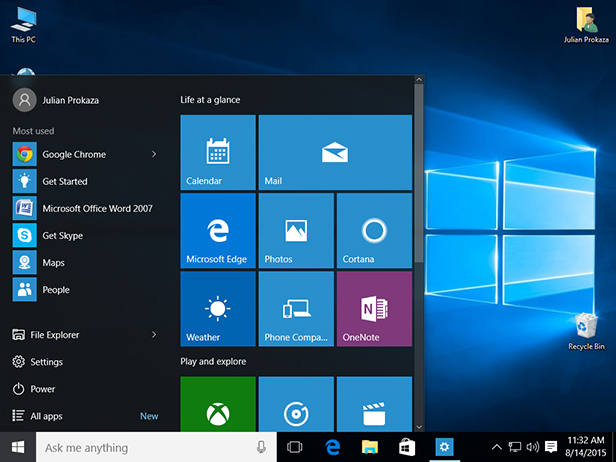
One of the most notable and visible changes on Windows 10 O.S. is the new Start  Menu. A mix of “the old” Start Menu with an highlight on UWP and apps.

Now, for an enterprise it’s usually important to make sure that they’re line-of-business (LoB) applications are always there or even make sure that there’s an harmony on every machine of the enterprise, where everyone have access through Start Menu to the same applications or links.
So, if you want to customize and force a specific Start Menu layout, here’s how.

Customizing and Exporting Layout
First things first. Let’s start by customizing the Start Menu you want to give to all users:
  • Login the reference machine (preferably with a “model user”)
  • Now customize you layout has you like it
  • When finished, open Powershell console and export the Start Menu layout like in this example:
    Export-StartLayout –Path C:\Themes\StartMenu\StartLayout001.xml
Now that you have your new Start Menu layout, you just have to force it using a Group Policy.

Forcing Start Menu Layout

  1. Open GPMC
  2. Edit your GPO
  3. Navigate to Computer Configuration (or User Configuration) | Administrative Templates | Start Menu and Taskbar 
  4. Double-click “Start Layout"
  5. Select “Enabled
  6. Write down the path where you xml file is located
    (in our example would be C:\Themes\StartMenu\StartLayout001.xml)
And you’re done!

Sunday, July 2, 2017

Windows 10 – GPOs – Getting Rid of Consumer Apps

So, you finally got rid of undesired apps that you don’t want on your base/gold image but after that you find your with a bunch of other apps that you don’t know where they came from?

Basically this is a “functionality” on Windows 10 that automatically downloads some consumer apps.

To get rid of these ones follow this steps:

  1. Open GPMC
  2. Edit your GPO
  3. Navigate to Computer Configuration | Administrative Templates | Windows Components| Cloud Content
  4. Double-click “Turn off Microsoft consumer experiences"
  5. Select “Enabled

And you’re done!

Thursday, June 8, 2017

Win 10 – GPOs – Removing Windows Store Icon from Taskbar

207_2

Don’t want the store icon on your users taskbar?

Here’s how to remove it, and don’t allow it to get there again, using group policy.

  • Navigate to User Configuration > Administrative Templates > Start Menu and Taskbar
  • Find and enable the setting “Do not allow pinning Store app to the Taskbar

And you’re done!
Just remember that you need to have the most edit GPOs from a Windows 10 v1703 or you need to install the most recent ADMX templates for Windows 10.

Sunday, September 14, 2014

Windows 9 - Alleged Start Menu Video Leaked


The future Microsoft's operating system keeps getting rumors over the internet.
One of the most talked topics it's the possibility of the return of the start menu to the desktop.

There's a big chance of that to happened and a video showing the features available on this new start menu make it even more credible.
The video it's of an alleged early build of the new OS code named "Threshold" shows up some features like the possibility to quickly change the logged user and it seems to be divided on 2 parts. The left side, similar to a Windows 7 or early versions and a right side with a kind of Metro style finish.

Another thing that this video shows it's the possibility to launch metro style apps in window mode instead of fullscreen.

Wednesday, July 23, 2014

Windows New Start Menu Images Emerging Again

windows_9_2

After last week appearance of the future Windows Start Menu, today the website Myce it's showing a new image.

The image above shows a kind of mixed Start Menu with "classic" applications and some apps Modern UI style.

The website also shows a new image of an Modern UI app running directly on the desktop. This is another promise from Microsoft.
In this case, it's the Windows Store App running:
windows_9_3

Although this images are displaying Windows 8 logo, there's still a lot of doubts if this will be an update to Windows 8 or if the new Start Menu will only be available on the future Windows 9.

Monday, July 21, 2014

Windows 9 - The Future Start Menu Images Appears

windows_menu_iniciar_2

The Microsoft's BUILD conference had a good bunch of news about the future Microsoft's OS, Windows 9.

The option made my Microsoft about removing the "classic" Start Menu from Windows 8 was one of the most criticized decisions.

In a way to make users know that Microsoft it's listening, the news about the return of the Start Menu to Windows 9 was made by Microsoft during BUILD conference but with no release date.

Last week a new image appeared on the internet allegedly of Microsoft Windows 9 build 9788 which shows a more "hybrid" start menu with Desktop and Apps all in the same place.