Showing posts with label upgrade. Show all posts

Wednesday, November 1, 2023

Windows 11 23H2 - How to force upgrade with Enterprise SKU

 
If you're using a Windows 11 Enterprise SKU, you may not automatically receive 23H2 update right now. Even if you enable the "Get the latest updates as soon as they're available" and then check for updates, the Feature Update may not be available today.

This was the easiest and fastest way to upgrade my machine from 22H2 to 23H2 and for obvious reasons it's fine for an isolated upgrade, and not for an enterprise-wide rollout. For that kind of scenario you should use Windows Update for Business; VLSC; etc.

So, just follow these steps:

  1. Download Windows 11 Installation Assistant from here
  2. Double-click, next, next next
  3. Wait....
  4. Done!
Don't be afraid because this will upgrade your Windows version and not wipe out your disk.
After the upgrade, open Windows update and install the latest quality update, which for the moment I'm writing this article is this one: 
2023-10 Cumulative Update Preview for Windows 11 Version 23H2 for x64-based Systems (KB5031455)

Saturday, August 7, 2021

Windows 11 – tcpip.sys green screen of death (GSOD) [Solved]

Hello and greeting to everyone!

Trying to upgrade your machine to Windows 11 via Windows Insider and getting a green screen of death because something went wrong with tcpip.sys driver?

Ok, this one may not work for everyone, but at least for Portuguese readers that have installed Autenticação.Gov application just follow this tip.

Uninstall Autenticação.Gov before upgrading and…you’re done!

It seems strange but, I could not upgrade 3 different laptops (different models and different vendors) and now the upgrade runs like a charm!

Just hope AMA can fix this issue asap so I can fully install the app again.

Thursday, July 18, 2019

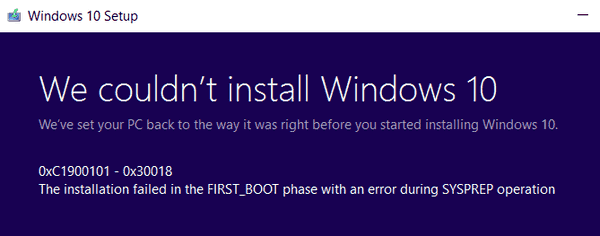
SetupDiag – Know what went wrong with your Windows 10 upgrade

With no whistles and fireworks, Microsoft launch a tiny but very useful tool to analyze what went wrong with your Windows 10 update.

SetupDiag is a standalone diagnostic tool that can be used to obtain details about why Windows 10 upgrade wasn’t successful.
It analyzes the Windows Setup logs and tries to parse them trying to obtain a single log file that tells you where’s the issue.

Download and read more about it here:
Microsoft - SetupDiag Tool

Tuesday, May 16, 2017

Nokia Lumia – Upgrading to Windows 10 Mobile Creators Update

So, as you may know, Microsoft reduced for just a few devices, 13 to be more exact, that can upgrade to Windows 10 Mobile Creators Update.
A lot of our beloved Nokia Lumia were out of the equation, and that was exactly what happened with my good old Nokia Lumia 925.

After a lot of try and miss and some bit of frustration I’ve decided to take the risk and try to update my Windows Phone.
The process is not that complicated but it takes some time.

The final result? Well, If your completely frustrated with your Windows Phone experience, because of crashes, slow performance, etc. Please, upgrade! The difference is huge! Ok, there’s still the lack of some apps but my phone just got a new life.

So, please follow one of the following tutorials:
Windows Latest - Download Windows 10 Mobile Build 15205 on any Windows Phone
Reddit.com - Tutorial for installing Redstone Builds on unsupported devices

Now, if for any reason, like me, you need to download to Windows Phone 8.1 before upgrading, you should use the following tutorial to get you on Windows 10 Mobile:
XDA Developers Forum - Installing Windows 10 Mobile Tech Preview on Lumia 925 & Old Lumias after downgrading

Wednesday, August 19, 2015

Microsoft Deployment Toolkit 2013 (MDT) Update 1 Available


So, after Windows ADK for Windows 10 and Windows 10 ADMX Template got available, it's now finally available MDT 2013 Update 1!

The Microsoft free tool for operating systems deployment was made available 2 days ago.
MDT is the recommended process and toolset for automating desktop and server system deployments and includes the following benefits:

  • Unified tools and processes, including a set of guidance, for deploying desktops and servers in a common deployment console
  • Reduced deployment time and standardized desktop and server images

Some of the key features for MDT 2013 Update 1 are:
  • Support for the Windows Assessment and Deployment Kit (ADK) for Windows 10
  • Support for deployment and update of Windows 10
  • Support for System Center 2012 R2 Configuration Manager SP1 with Windows ADK for Windows 10

Go ahead and follow the download link below:

Wednesday, July 29, 2015

Windows 10 Launch - All you need to know!


Today it's the day that will be a new history mark for Microsoft.
It's also an historic mark for the IT world.
The biggest ever operating system launch has started worldwide and Windows 10 it's starting to rollout to more than 190 countries.

Microsoft created a website for the launch, with FAQs, media assets, quick guides, and a lot more, of information needed and to clarify any doubts that a user still have.

So, go ahead and upgrade your world:
Windows 10 Launch - Upgrade Your Wolrd

Monday, December 15, 2014

VMware - Getting Your Hosts Up-to-Date with VUM


If you have a large virtual environment, it can be difficult to keep up-to-date with all your hosts. Well...to be true, even in a small-medium environment, vCenter Update Manager (VUM) can really help with and be a time saver.

With VUM you can control all the patches, bugfixes and upgrades from VMware, but it's also possible to get specific updates from your hardware's vendor.

So, in VUM you'll just need to insert a new "Download Source" to get this updates:

HP Depot
http://vibsdepot.hp.com/index.xml


DELL Depot
http://vmwaredepot.dell.com/index.xml


If you need some help to configur VUM in your infrastructure follow this nice guide:
Technologist - Install VMware vCenter Update Manager