Showing posts with label desktop. Show all posts

Wednesday, June 26, 2019

Tips & Tricks – Windows version and build number on your desktop

Although not used regularly, this tip is a good one for those running Windows 10 Insider Program builds.
This allows you to keep track of your current Windows 10 build and minor build versions with less effort.

So, to see you Windows 10 version on your desktop follow this steps:

  • Open Registry editor (regedit.exe)
  • Navigate to HKEY_CURRENT_USER\Control Panel\Desktop
  • Look up for “PaintDesktopVersion” value and double-click it
  • Change the value to “1”
  • Reboot your machine

And you’re done.

Just remember that this is a per-user value so, if you login with another user you need to repeat the above steps.

Wednesday, August 19, 2015

Microsoft Deployment Toolkit 2013 (MDT) Update 1 Available


So, after Windows ADK for Windows 10 and Windows 10 ADMX Template got available, it's now finally available MDT 2013 Update 1!

The Microsoft free tool for operating systems deployment was made available 2 days ago.
MDT is the recommended process and toolset for automating desktop and server system deployments and includes the following benefits:

  • Unified tools and processes, including a set of guidance, for deploying desktops and servers in a common deployment console
  • Reduced deployment time and standardized desktop and server images

Some of the key features for MDT 2013 Update 1 are:
  • Support for the Windows Assessment and Deployment Kit (ADK) for Windows 10
  • Support for deployment and update of Windows 10
  • Support for System Center 2012 R2 Configuration Manager SP1 with Windows ADK for Windows 10

Go ahead and follow the download link below:

Wednesday, July 23, 2014

Windows New Start Menu Images Emerging Again

windows_9_2

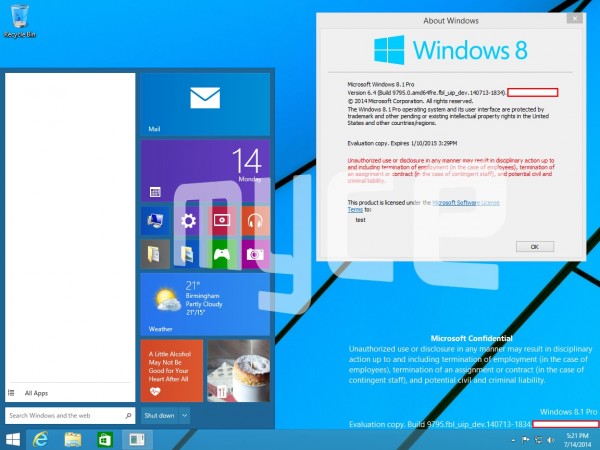
After last week appearance of the future Windows Start Menu, today the website Myce it's showing a new image.

The image above shows a kind of mixed Start Menu with "classic" applications and some apps Modern UI style.

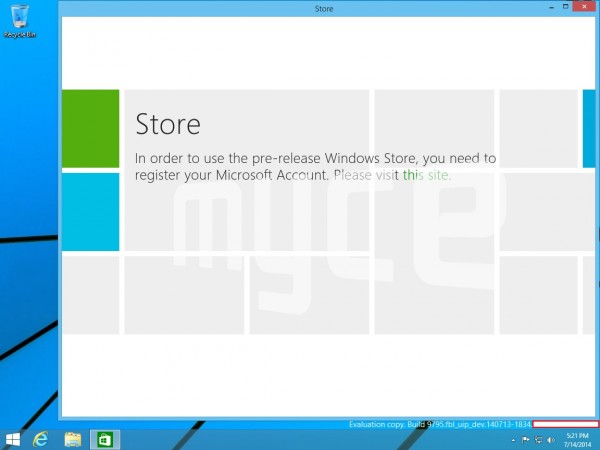
The website also shows a new image of an Modern UI app running directly on the desktop. This is another promise from Microsoft.
In this case, it's the Windows Store App running:
windows_9_3

Although this images are displaying Windows 8 logo, there's still a lot of doubts if this will be an update to Windows 8 or if the new Start Menu will only be available on the future Windows 9.